Install JumPHP IDE and open a project
JumPHP IDE is a free IDE made to write games and apps with JumPHP. It exists for Windows, macOS and Linux, and the same one runs in your browser on the games published here.
1. Install
On the IDE's page, take the installer of your system:
- Windows:
JumPHP-IDE-setup.exe. The first time, Windows warns that the file is not signed: "More info", then "Run anyway". - macOS:
JumPHP-IDE-setup-macos.zip. Unzip it, then right click › Open the first time. - Linux:
JumPHP-IDE-setup-linux-x86_64. Make it executable (chmod +x), then run it.
The installer installs for you alone, without admin rights. It adds a shortcut and an uninstaller, and always installs the latest version of the IDE.
To run games, tests and screenshots, the IDE uses Docker (like bin/jumphp), and Git for the projects:
install them if they are not there yet.
2. The welcome screen
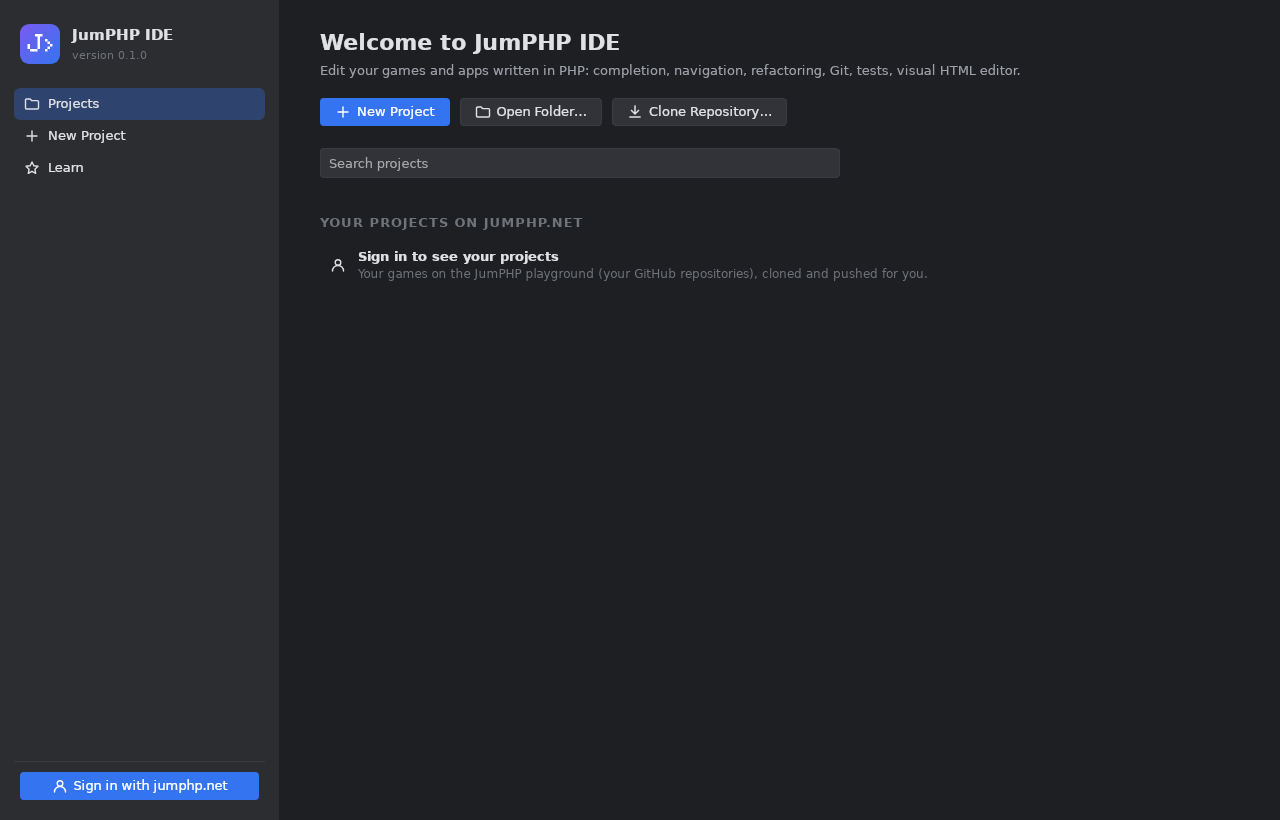
- New Project: a new JumPHP project. Choose its kind: a game, a desktop app, or the remake of an Amstrad CPC
game (the IDE then asks for the game's
.dskfile). The project holds only the skeleton of the chosen kind. - Open Folder: a project already on your computer.
- Clone Repository: a Git repository.
3. Sign in to jumphp.net
Click Sign in with jumphp.net at the bottom left. Your browser opens jumphp.net: sign in with GitHub and authorize the IDE. Go back to the IDE: you are signed in. Your playground games appear on the welcome screen; one click opens one, the IDE clones it for you and pushes your commits.
The devices signed in are managed in the studio: Connected devices. You can remove one at any time.
4. A first look around

- On the left, the project tree (Alt+1). At the very bottom, External Libraries: the sources of the JumPHP engine and of the Composer packages, read only.
- In the middle, the PHP editor. At the top right, the run configuration, ▶ (run) and the flask (tests).
- Tool windows go on the left, at the bottom or on the right: Structure, Hierarchy, Run, Find, Problems, Game, Claude.
Next: code, run and test.