Make a graphic app with the visual editor
A JumPHP graphic app is a PHP program whose windows are forms: buttons, text fields, lists, drop-down lists, check boxes, sliders, pictures, videos. No HTML or CSS: the engine draws them itself, and the same app runs on PC, Mac, Linux, in the browser and on phones (Android and iOS).
Create the project
In the JumPHP IDE: New Project, then Graphic app (a desktop app) or Mobile app (a phone app, in portrait). On the command line: bin/jumphp gui:new contacts "Contacts" (add --mobile for a phone).
The sample app has one window, forms/MainForm.form.yaml, and its code, src/Form/MainForm.php.
Draw the window
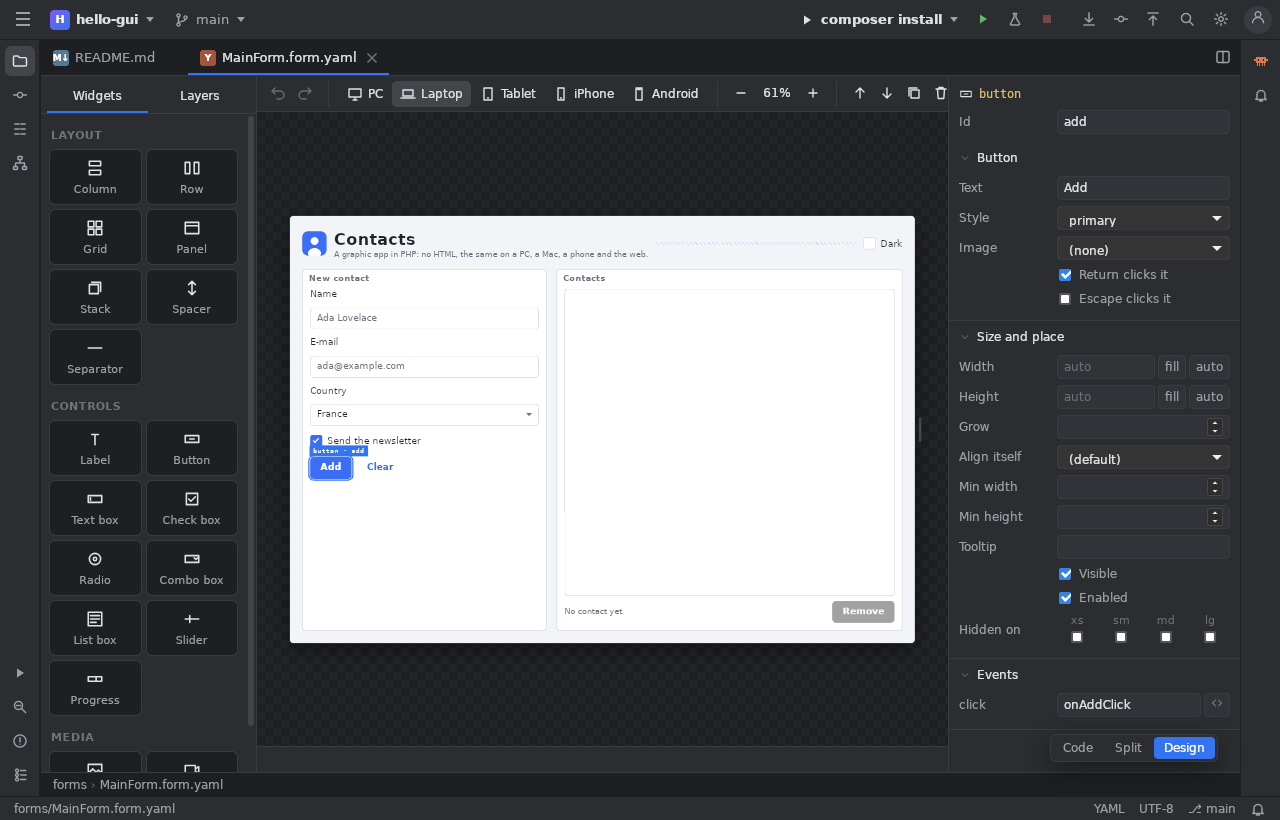
Open forms/MainForm.form.yaml: it shows in Design mode (the Code and Split buttons show the file).
- Drag a widget from the palette (on the left) into the window, or click it to add it after the selection.
- Move a widget by dragging it; Del removes it, Ctrl+D duplicates it, Ctrl+Z undoes.
- The inspector (on the right) sets the chosen widget: its text, its style, its size (
auto,fillor a number), its share of the free room (Grow), its alignment.
A layout that adapts to the screen
- A Row puts its widgets side by side, a Column one under the other.
- A Spacer takes the free room: placed before a button, it pushes it to the end of the row.
- A Grid lays its widgets out in 12 columns. In the inspector, Columns (of 12) gives the width of each for each screen size:
xs(phone),sm(tablet),mdandlg(big screens). For example 12 inxsand 6 inmd: one panel per line on a phone, two side by side on a PC. - Hidden on hides a widget on some screen sizes.
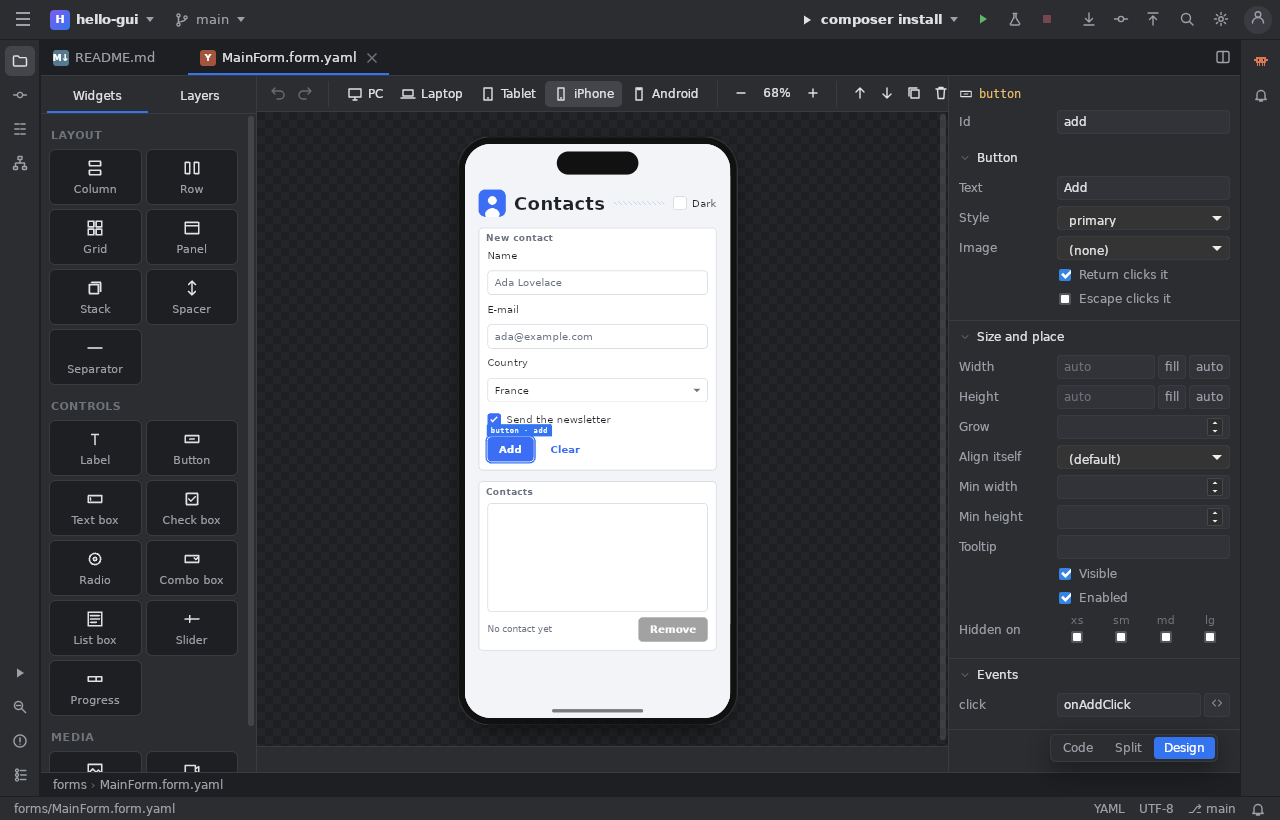
The PC, Laptop, Tablet, iPhone and Android buttons of the toolbar show the window at each size; in PC mode, drag the window's edge to see the layout change.
Wire the events
Double click a widget: the IDE writes its method in the code (for example public function onAddClick(Button $sender): void) and opens it, ready to fill:
public function onAddClick(Button $sender): void
{
    $this->people->addItem($this->name->text);
    $this->name->text = '';
}
The other events (the text that changes, the line chosen in a list…) are in the Events section of the inspector. Each widget with an Id is reachable as $this->itsId, with completion.
Pictures and videos
Put your pictures in assets/images/: the Picture field of an Image widget (or Image of a button) offers them. For a video, bin/jumphp video contacts film.mp4 cuts it into pictures with its sound, then the Video widget plays it.
Run and export
The editor's Run button starts the app. Then, as for a game: bin/jumphp build (the browser version), bin/jumphp export:standalone (a Windows or Linux executable), bin/jumphp android and bin/jumphp apple (the phone apps).