SSH
The SSH window (right, desktop) works with your servers through this computer's own ssh and scp: your ~/.ssh/config, keys,
agent and known_hosts apply. The IDE never keeps a password.
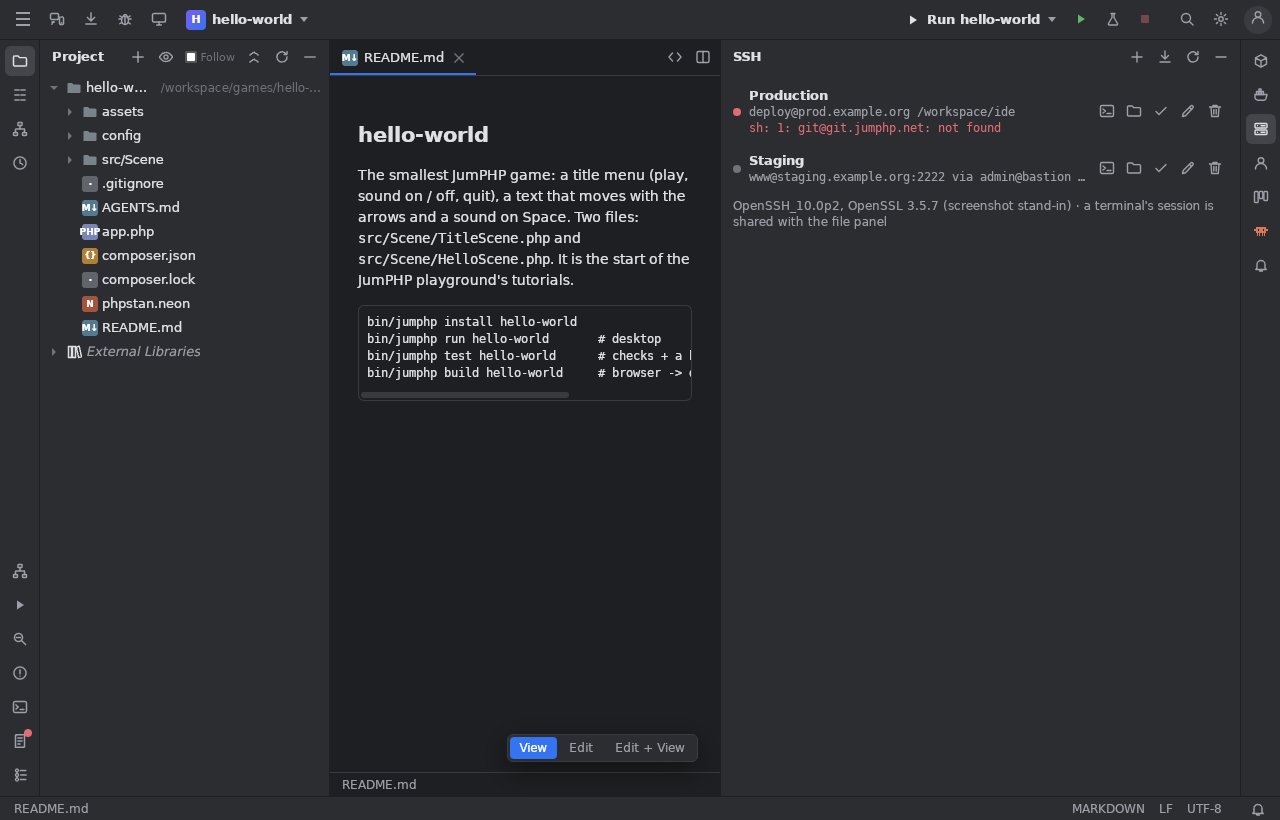
Servers
+: name, host (or an alias of ~/.ssh/config), port, user, key file (a button opens the system's chooser in ~/.ssh), jump host,
start folder. Import from ~/.ssh/config. Test the connection. Kept in ~/.jumphp/ide-ssh.json on this computer, never in a
project.
Sessions
A new Terminal tab runs ssh -t: passwords, host keys, colours, vim work as in your terminal (Windows: a console window). On
Linux / macOS a session is the master of a shared connection: while it is open, files and transfers reuse it (servers with a
password or a one-time code work too).
Files
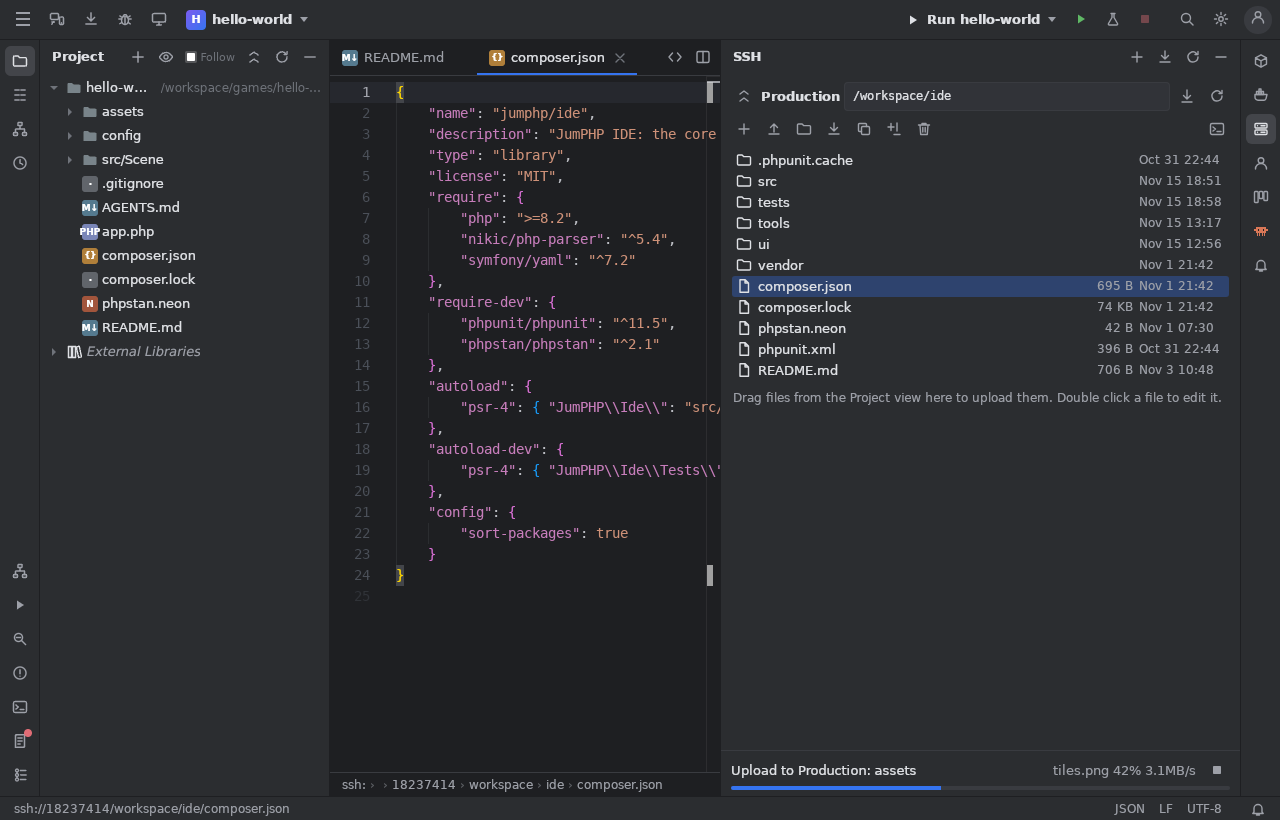
The folder button: browse, go in, open a file in the editor (saved back over SSH, 5 MB at most), new folder, rename, copy / move, delete, upload and download with scp and its progress (stoppable).
Drag and drop: files of the file manager or of the Project view dropped on the list are uploaded; remote rows dragged to a folder of the Project view or to the file manager are downloaded. A name already there: Overwrite, Skip or Rename.
Used elsewhere
SSH servers serve as database tunnels and remote Docker engines.