Navigation
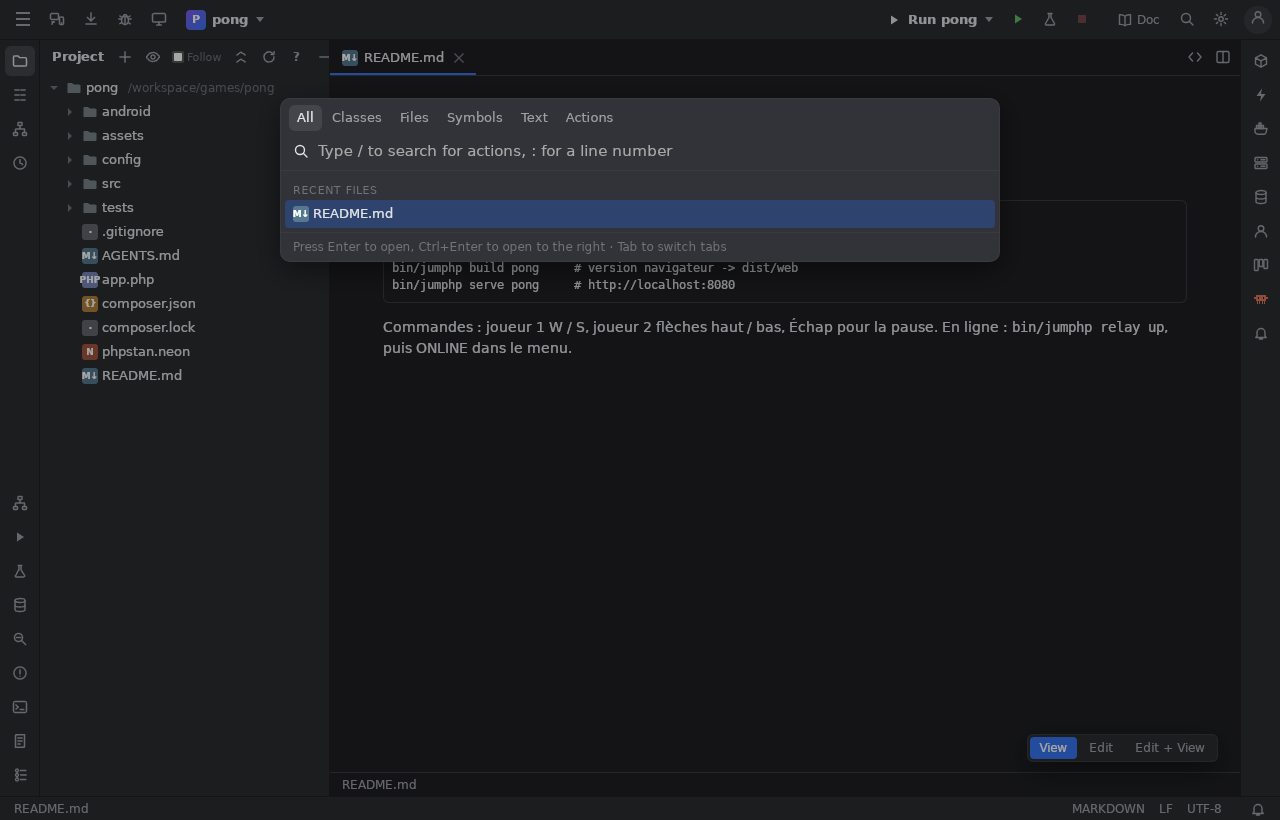
Search Everywhere
Double Shift (or the magnifier of the tool bar): one box for classes, files, symbols, actions and text. Tabs narrow it down:
Classes (Ctrl+N), Files (Ctrl+Shift+N), Symbols (Ctrl+Alt+Shift+N), Actions (Ctrl+Shift+A), Text
(the indexed search). file.php:42 opens at line 42.
Run Anything
Ctrl twice: type a bin/jumphp command; its commands and the project's games are completed, Enter runs it in the Run window.
Going to code
| Shortcut | |
|---|---|
Ctrl+B / Ctrl+click |
go to the declaration |
Ctrl+Alt+B |
implementations |
Alt+F7 |
find usages (in the Find window) |
Ctrl+Alt+H |
call hierarchy (the Calls window) |
Ctrl+H |
type hierarchy (the Hierarchy window) |
Ctrl+F12 |
file structure (a popup; the Structure window, Alt+7, keeps it open) |
Ctrl+E |
recent files |
Ctrl+Shift+E |
recently changed files: by their time on disk, whoever changed them (the IDE, Claude, git, a terminal), with a diff |
Alt+F1 |
select the open file in the Project view |
Ctrl+Alt+← / → |
back / forward |
The Project view
Alt+1. The project's files; External Libraries (the engine, vendor/ packages, read only). Right click: new file / folder,
rename, delete, copy path, Play, Run tests, open in the terminal, Show Local History. Follow keeps the open file selected.
Files can be dragged to move them, and dropped from the file manager.