Docker
The Docker window (right, the whale) shows the Docker engine: containers, images, volumes, networks, Compose and Docker Hub.
Containers
Grouped by Compose project, with CPU and memory. Start, stop, restart, remove; Logs (followed live), Shell (a Terminal tab in the container), Inspect; a published port opens in the browser.
Images, volumes, networks
Lists, remove, prune; Pull with its progress; Run… (a form: image, name, ports, volumes, environment).
Docker Hub
Search, an image's tags, pull; Insert into the editor writes image: name:tag.
Compose
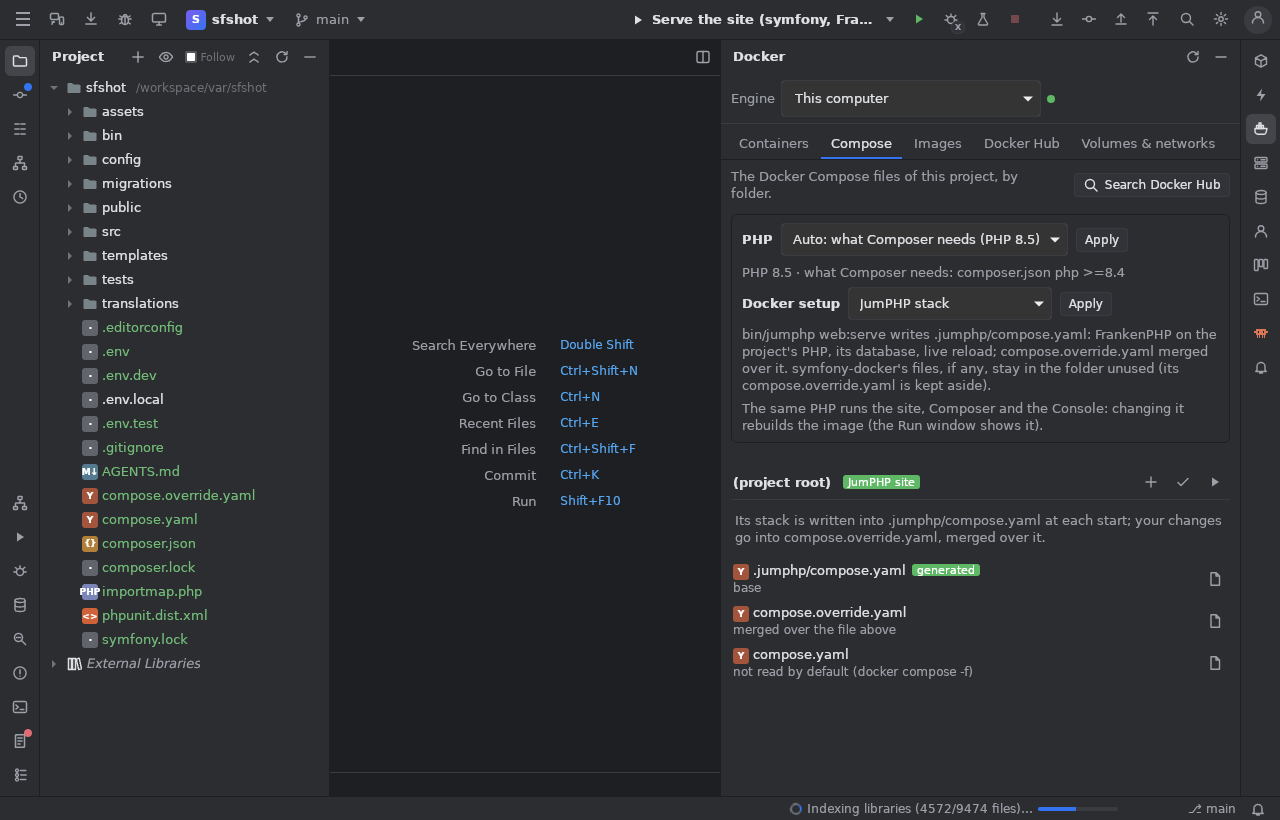
The project's compose files per folder (what starts them, the order they are merged), create the override, Add a service from a
template (MariaDB, MySQL, PostgreSQL, Redis, Memcached, Mailpit, Adminer, phpMyAdmin, RabbitMQ, Elasticsearch, Meilisearch, MongoDB),
Check (docker compose config: errors in Problems at their line), Apply. For web sites: the PHP version and the Docker setup
(Web sites).
A remote engine
The Engine menu (kept per project):
- This computer.
- A server of the SSH window: the IDE opens its own SSH tunnel to the server's Docker socket (your key, port and jump host are
used) and runs
docker -Hthrough it. Only the docker client is needed here; the server needs Docker. - A docker context.
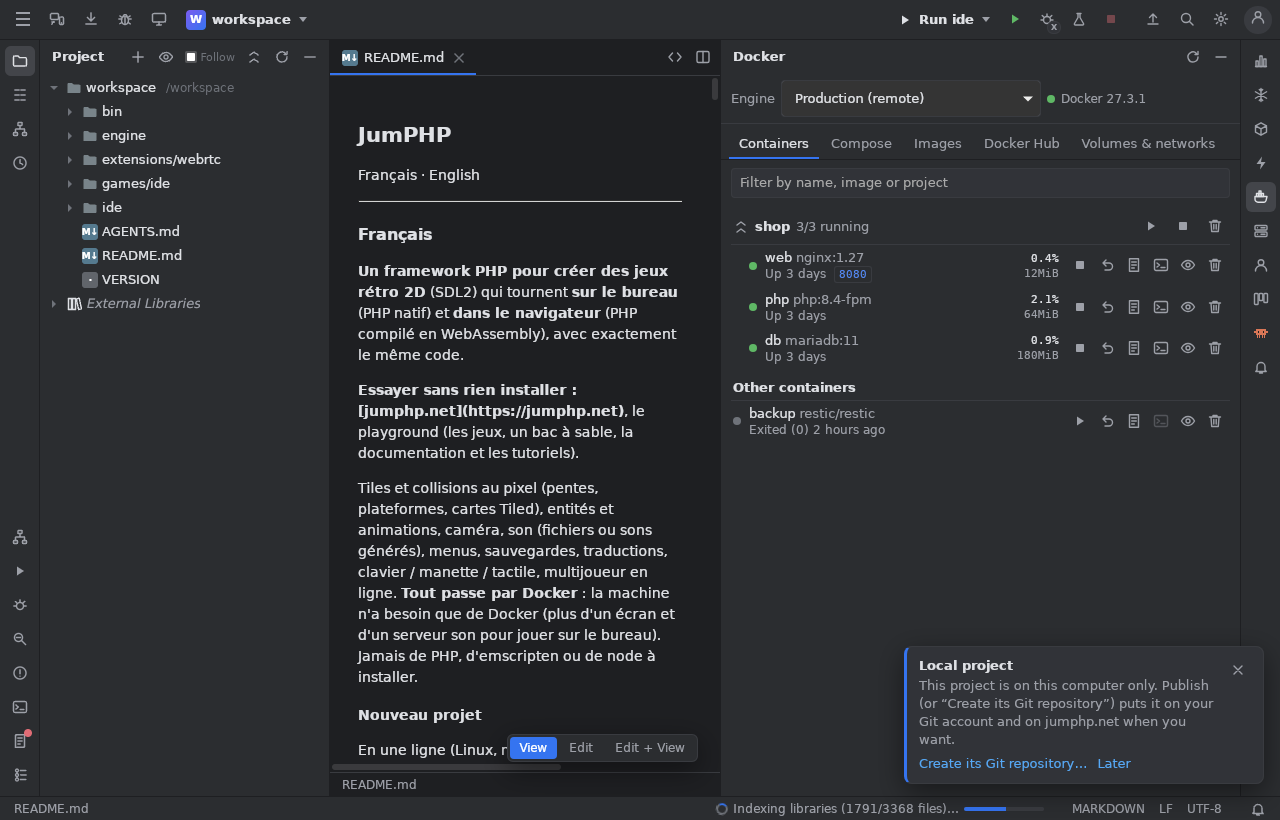
Everything then works on that engine; a Compose Up runs on the server, in its folder. Errors are explained (unknown host key, no
Docker, a user outside the docker group with the line to type).