Claude and OpenCode
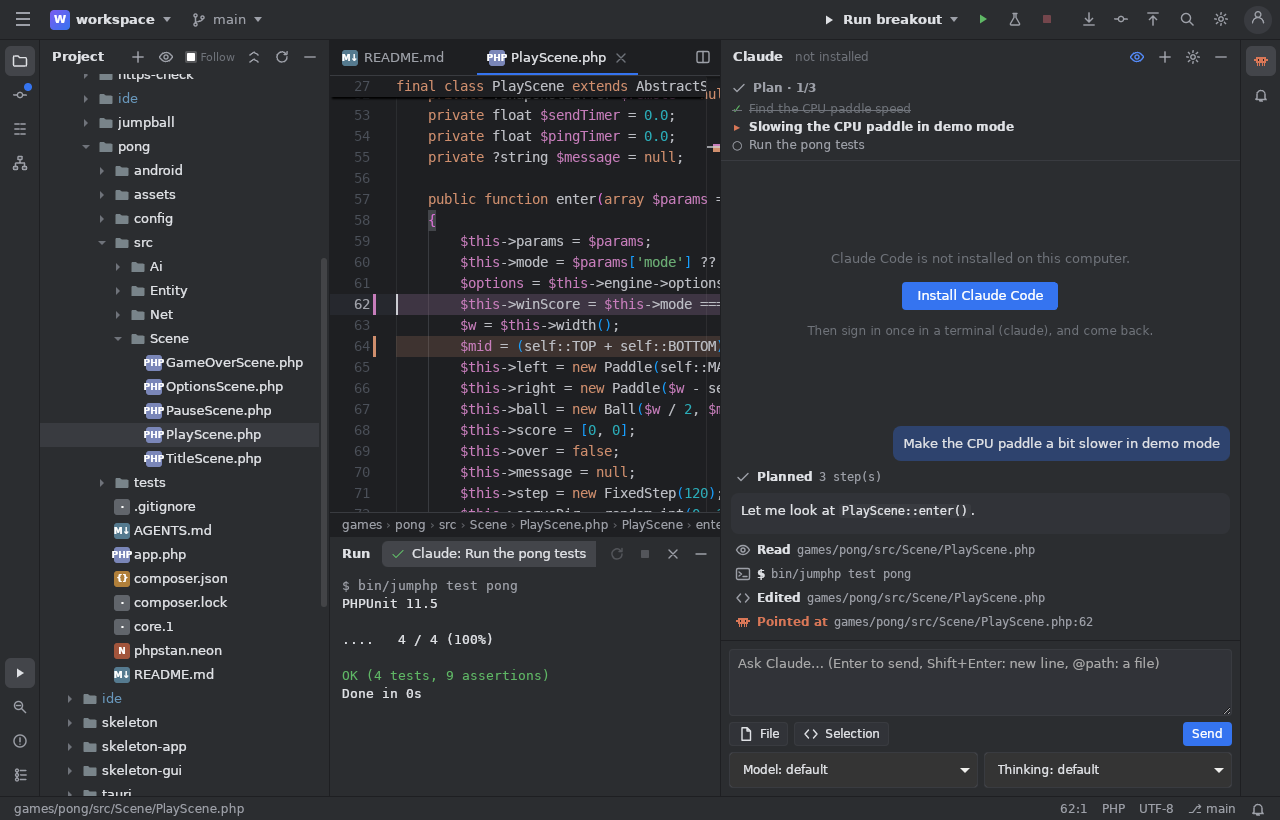
The Claude window (Alt+8, right) talks to the Claude Code of your computer (claude, your own login), or to OpenCode
(the assistant selector), working in the project's folder.
Talk
Its answers, the files it reads and edits (click to open them), the commands it runs, as they come. The conversation goes on; Ask Claude about the Selection is in the editor's menu. The Context / 5 h / Week gauges follow live; a context 80 % full is compacted by itself.
What it may do
The mode (a selector; Shift+Tab in the box): auto, edit files, plan only, ask, full auto, and Step by step. When it asks for a
permission, allow it once, for 5 / 15 minutes, 1 hour, the session or always.
Step by step: Claude asks before every edit and nothing is written until you answer. The file opens at the change (removed lines red, added lines green, a tick per block), with Accept / Decline and a message; an accepted step can be rolled back on its own later.
Follow
The eye (Follow, on by default) shows what Claude does as it does it: the file it reads at its lines, what an edit replaces and writes, its commands in Run, its searches in Find, its plan above the conversation. Nothing moves while you type.
Tabs and history
+ starts another conversation (each its own process). Right click a tab: open in a window, rename, copy as Markdown. Every
conversation is kept in .jumphp/history/claude/ (out of git); History opens one again where it was. Each turn is also written to
the project's IA/HISTORY/ (out of git).
The IDE's tools for Claude
The IDE gives the Claude it starts its own tools (an MCP server, jumphp-ide): open a file, highlight lines, show a diff or a tool
window, run a configuration and read its result, play a scene, the problems, what you are looking at, ask you a question, the
debugger, Composer, Docker, the board, Cryo… The banner Connect Claude to jumphp.net adds jumphp.net's tools (your projects,
publishing, tests online).
OpenCode and local models
With OpenCode each message is an opencode run (a model of opencode models, local ones too: Ollama, LM Studio). It edits files
directly (no "ask first"): review its changes with Git. Tools > OpenCode opens its own interface in the Terminal.