The interface
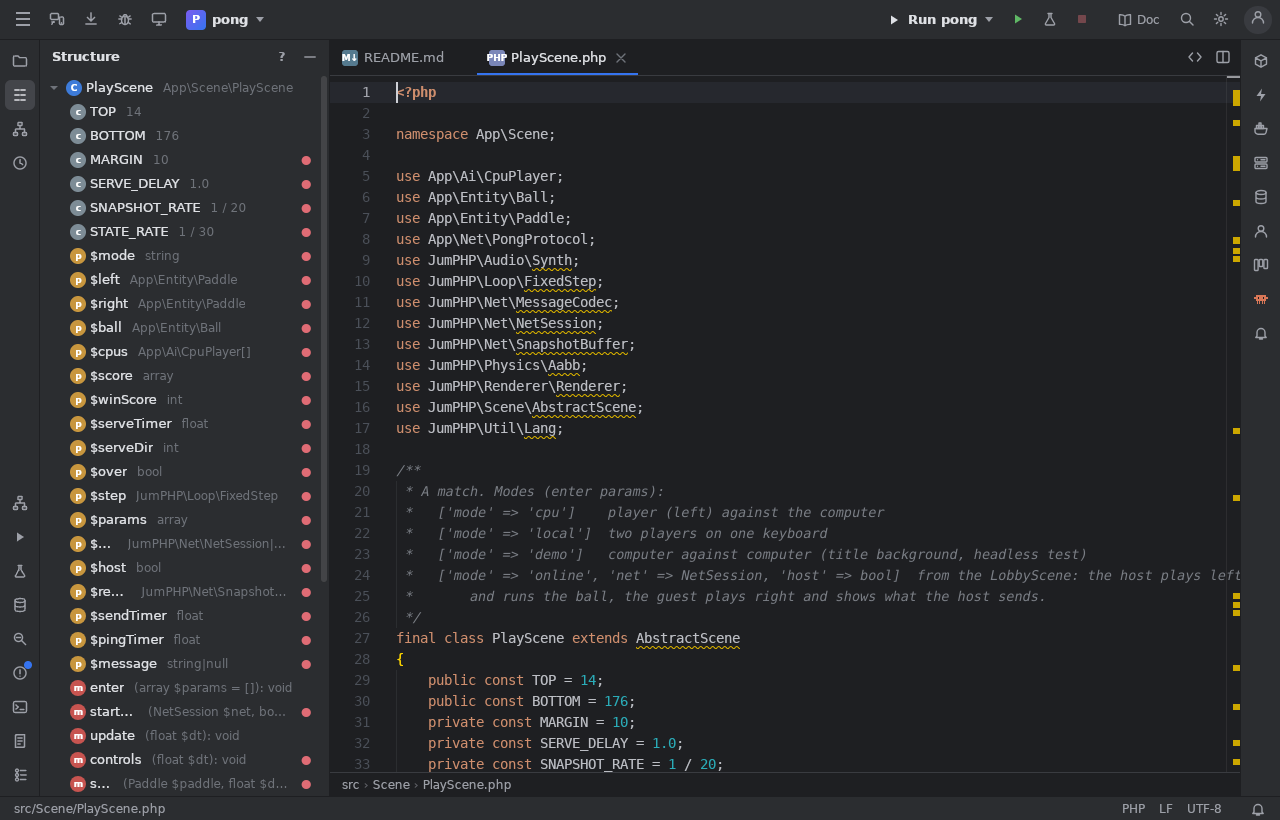
The tool bar (top)
From left to right: the main menu (Alt+\: File, Edit, View, Navigate, Code, Run, Git, Tools, Help), Screen on a phone,
Update now (when an update is ready), Report a bug, Share (IDE Remote), the project (its games / apps, open another
project), the branch; on the right the run widget (the run configuration, Run, Debug, Test, Stop), the scripts pinned to the
tool bar, the Git buttons (update, commit, commit and push, push), Play (games), Publish, Doc (this documentation),
Search Everywhere, Settings and your account.
The New… button: everything you can create
The + New button of the tool bar (Alt+N) opens one palette with search where every "create" of the IDE is grouped by category. It is also
in the project tree's context menu (New) and in Search Everywhere (type "New: Controller"). Each entry calls the create GUI of the window
that owns it, so nothing works differently; the windows keep their own buttons. An entry is hidden when the project lacks what it needs.
| Group | Entries |
|---|---|
| Project | File, Folder, PHP class |
| Symfony | Twig template, Controller, Command (the wizard), Form type, Event subscriber, Message and handler, Validation constraint |
| Doctrine | Entity (the entity editor), Migration (diff) |
| Security | User, Login (authenticator), Voter |
| API and HTTP | API resource, State provider, State processor, HTTP request, HTTP collection |
| Scripts and tests | Script, Castor task, Test |
| Translations | Translation key |
The makers (Controller, Subscriber, Message, User, Login, Voter, Test) open the Console with the make: command selected,
its form ready to fill.
Tool windows
Tool windows sit on three sides; their buttons are on the stripes at the left and right edges. A click shows or hides one; drag a splitter to resize. Each header has the window's own buttons, a ? (its page here) and – (hide).
| Side | Windows |
|---|---|
| Left | Project (Alt+1), Commit (Alt+0), Structure (Alt+7), Hierarchy (Ctrl+H), Recently Changed (Ctrl+Shift+E) |
| Bottom | Run (Alt+4), Debug, Tests, Find (Alt+3), Problems (Alt+6), Terminal (Alt+F12), Git (Alt+9), Logs (Alt+F11), Calls, SQL Results |
| Right | Profiler (Alt+P), Cryo, Composer, Scripts, Docker, SSH, Database, Board, Community, Console (Alt+S), Game (Alt+5), Claude (Alt+8), jumphp.net (Alt+J), Amstrad CPC |
Which windows exist depends on the project: a web site has Console and Composer, a game has Game and the resource editors, a
desktop-only window is missing on the web. View > Reset Window Layout puts them back; Hide All Tool Windows is
Ctrl+Shift+F12. The layout is restored when the IDE reloads (Settings).
The editor area
Tabs, split right, the breadcrumbs under the code. See Editor.
The status bar (bottom)
The current file, the file type (a click chooses another language, hexadecimal, a picture, a PDF…), the line endings and the encoding (Encodings), the branch, the notifications bell.
Shortcuts
PhpStorm's shortcuts: Double Shift (Search Everywhere), Ctrl twice (Run Anything), Ctrl+N, Ctrl+Shift+N, Ctrl+E, Ctrl+B,
Alt+F7, Shift+F6, Ctrl+F12, Ctrl+Shift+F, Ctrl+K, Ctrl+Shift+K, Ctrl+T, Shift+F10, Ctrl+Shift+F10, Shift+F9,
F7 / F8 / F9… Help > Keyboard Shortcuts lists them all; Find Action (Ctrl+Shift+A) runs any action by its name.
Text size
Ctrl + mouse wheel over a panel changes that panel only (the code editor: its font; other windows: a scale). Ctrl+=, Ctrl+-,
Ctrl+0 do the same for the focused panel. Ctrl+Shift + wheel zooms the whole IDE. See Settings.