Security audit
The Security Audit window (bottom tool bar, or Tools > Security Audit) looks for vulnerabilities in the project you are developing. It is made for PHP / Symfony web sites, and its configuration, secrets, Docker and package checks help every project. It works on the desktop IDE.
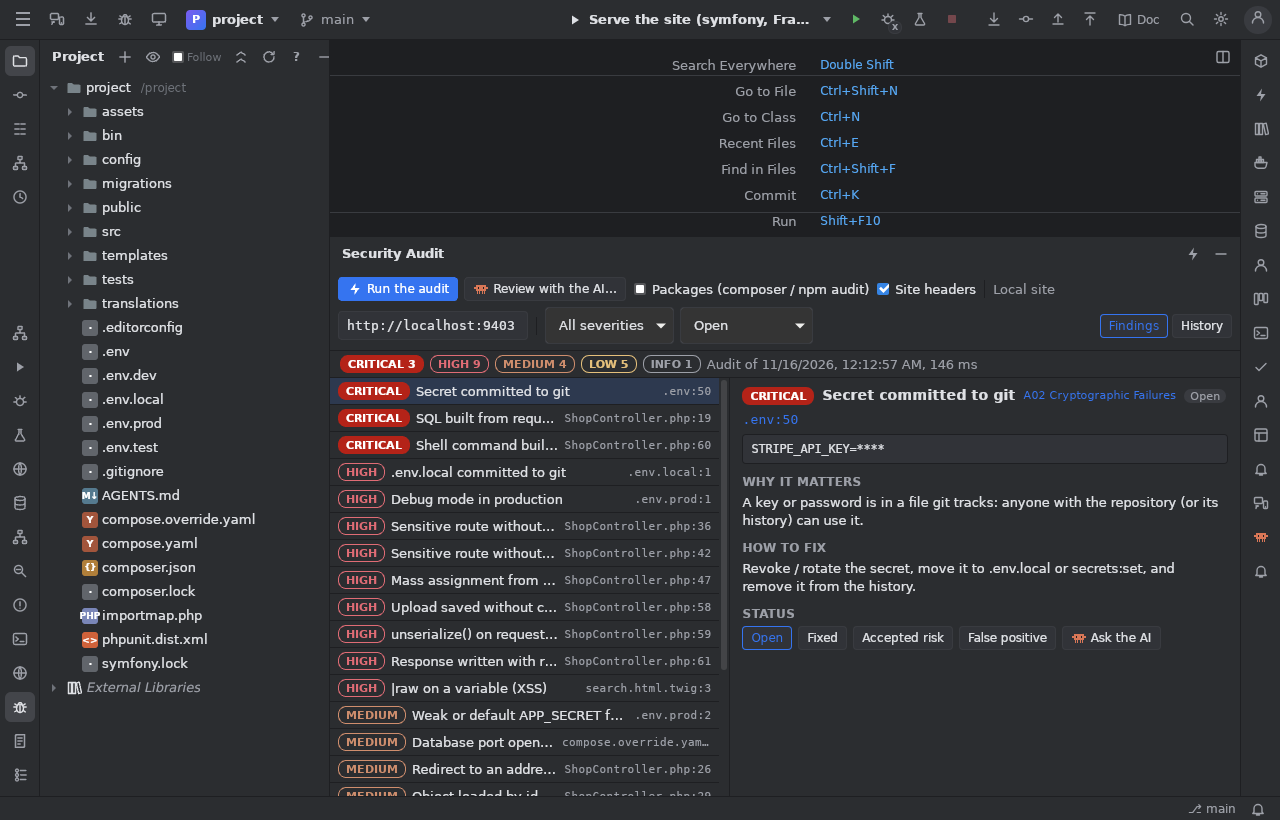
Run an audit
Run the audit takes a few seconds and needs no AI and no account. It checks:
| Area | What it looks for |
|---|---|
| Code (PHP, read with php-parser) | Text from the request (query, form, body, headers, cookies, route parameters) followed through variables and string functions to: SQL / DQL built by concatenation or interpolation (query(), executeQuery(), fetchAllAssociative(), createQuery(), where(), orderBy()…), shell commands (exec, shell_exec, Process::fromShellCommandline…), unserialize(), redirects (redirect(), RedirectResponse), responses written by hand, dynamic setters fed by $request->request->all() (mass assignment). Uploads moved without a MIME / size check. Controllers that load an entity from an id without #[IsGranted], voter or owner check (IDOR candidates). Routes under /admin, /api, /account, /profile… that nothing protects. 'csrf_protection' => false in forms. |
| Templates (Twig) | ` |
| Symfony configuration | firewalls with security: false (other than the dev one), access_control, CSRF turned off, CORS * (worse with credentials), APP_DEBUG=1 or a weak APP_SECRET for production, every proxy trusted |
| Secrets | files git tracks: private keys, Symfony's production decryption key, .env.local, keys of known services (AWS, Stripe, GitHub, Slack, Google…), random values of variables named like secrets. The values are never shown nor stored. |
| Packages | composer audit and npm audit (with the computer's composer / npm, else in Docker) |
| Docker | privileged containers, the Docker socket mounted, databases published on every interface, containers as root, images without a version |
| Local site | missing security headers (Content-Security-Policy, X-Content-Type-Options, X-Frame-Options, Referrer-Policy, HSTS on https), PHP / server version disclosed |
Each finding has a severity (critical, high, medium, low, info), an OWASP Top 10 category, its file:line (click to open
it), the code, why it matters and how to fix it. Filter by severity and status at the top.
Fix
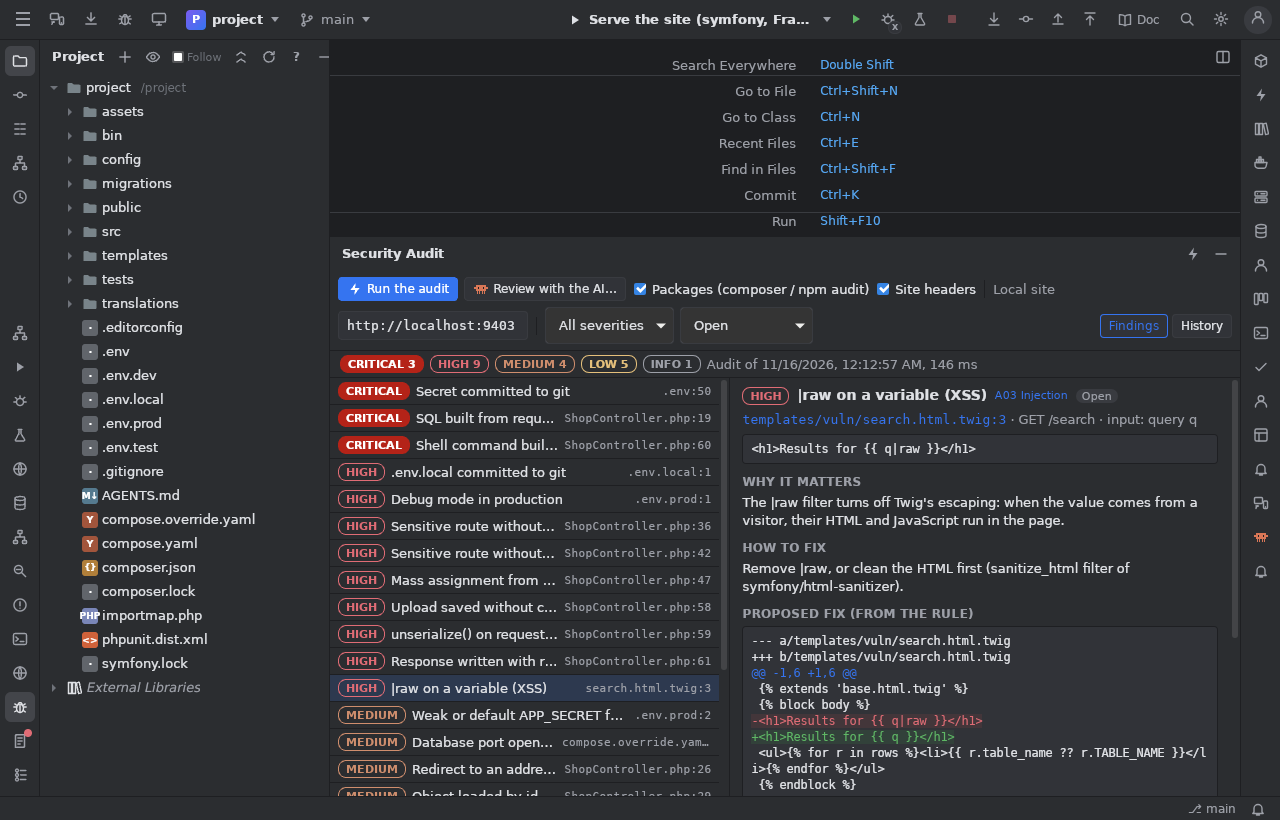
Many findings come with a fix (|raw removed, APP_DEBUG=0, a database port bound to 127.0.0.1, allowed_classes => false…),
the AI proposes the others. Show the diff shows it; Apply the fix and check again writes the file (only if it did not change
since) and runs the checks again: a finding that is gone is marked Fixed.
Status
Each finding is Open, Fixed, Accepted risk (with a note: why) or False positive (with a note). Statuses survive the next audits. The History tab lists every audit with its counts.
Everything is kept in the project's .jumphp/security/ (state.json, audits/<date>.json), with every secret value masked.
Review with the AI
Review with the AI… sends the findings you choose (one finding, the open ones of medium severity and above, or the file open in
the editor) to Claude (claude -p, your own login), OpenCode or a chat server configured in the IDE: no new key. To keep the cost
low, only those findings and their code are sent, a few files per request, as excerpts around the findings, secrets masked. The AI
confirms or rejects each finding (shown as an AI mark), explains it in your language, proposes a patch (checked against the file:
a patch that does not match is dropped) and may report logic flaws in the same code (missing ownership checks, bypasses…). Nothing
is written before you apply a patch.
Exploit proofs (local site only)
For SQL injection, reflected XSS, open redirects, IDOR candidates, unprotected routes and missing headers, Run the proof sends a
few read-only GET requests to your local development site and shows the evidence: a quote that breaks the SQL (against a
control request), a harmless marked tag that comes back unescaped, a redirect to jumphp-probe.invalid (never followed), an object
read without being logged in. Never a write, a delete, a command or a flood; no cookie is sent, no redirect followed.
The site's address is the field at the top (by default the port bin/jumphp web:serve publishes). The IDE refuses any other
host: only localhost, *.localhost, 127.0.0.0/8, ::1 or a service of the project's compose file (on a private Docker
network). The name is resolved and every address it gives must be local (so 127.0.0.1.nip.io or a name sent elsewhere by a
resolver are refused), then the request goes to the address that was checked.
After a fix the proof runs again by itself: Not reproduced is the proof that it is fixed.
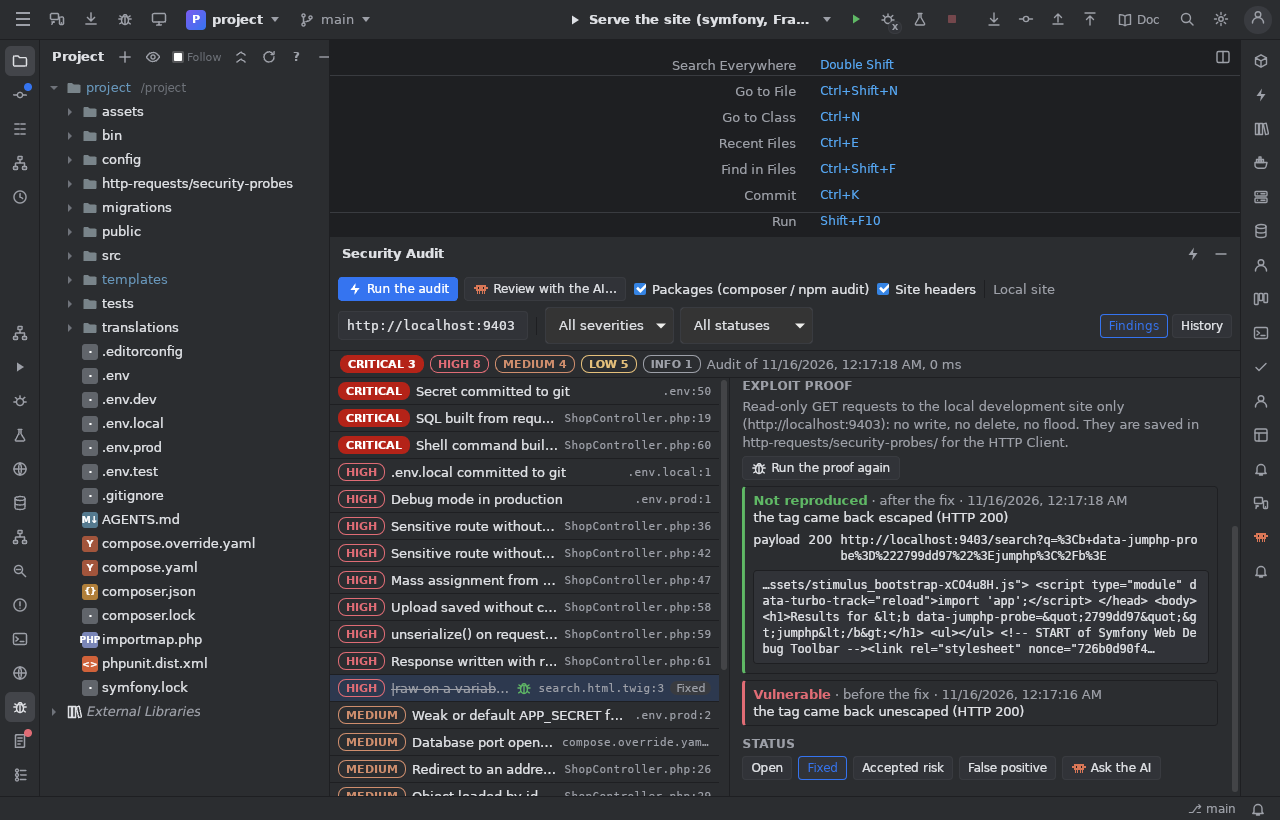
The requests are also saved in http-requests/security-probes/ for the HTTP client.
Limits
- The code analysis follows data inside one function (not across methods or services); routes come from
#[Route]attributes. - Proofs exist only for GET routes; command injection, uploads, unserialize and mass assignment have no automatic proof (they would need writes or dangerous payloads): the AI explains them.
- The checks are a help, not a guarantee: a clean audit does not mean a secure site.