Symfony forms
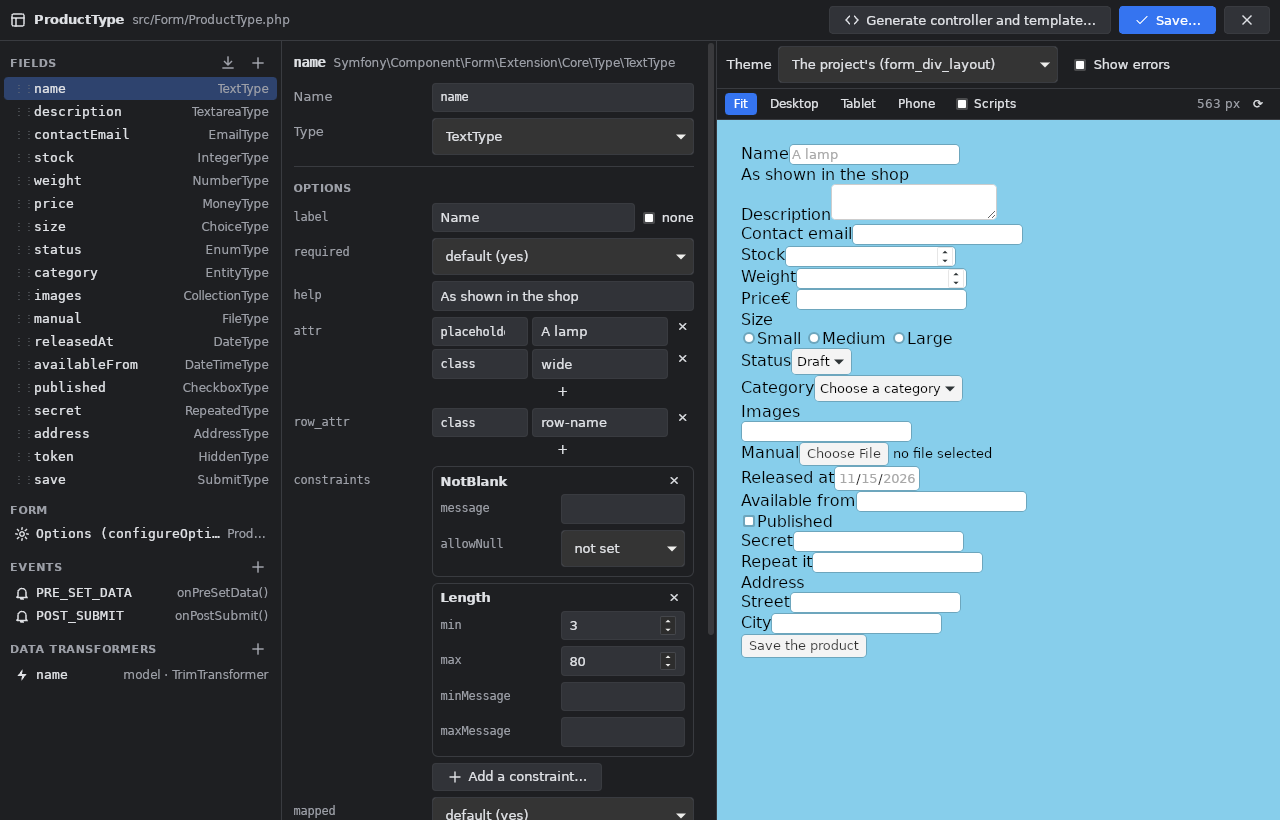
The Symfony Forms window (right tool bar, or Tools > Symfony Forms) lists the project's FormTypes (src/Form/*Type.php) and its
form themes. It appears in a project whose composer.json requires symfony/form (or that has src/Form/). Click a form type, or
use Open the Form Builder on This File on the FormType open in the editor, or New form type…: the form builder opens over
the workbench.
Fields
- + adds a field: Symfony's types grouped like its reference (text, numbers, choices, dates, other, buttons) and the project's own form types (sub-forms). Drag a field (or ↑ ↓) to reorder, the bin removes it.
- Add fields from the class… reads the form's data class (an entity or a DTO) and proposes its properties, each with the type it
suggests: from the Doctrine mapping (
text→ TextareaType,decimal→ MoneyType for a price, dates → DateType / DateTimeType,enumType→ EnumType, ManyToOne → EntityType, ManyToMany → EntityTypemultiple, OneToMany → CollectionType), from the PHP type (bool → CheckboxType, an enum → EnumType) and the name (email, password, url, phone, color). Nullable columns getrequired: false; the identifier and the timestamps come unchecked.
Options
The middle column edits the selected field: its name, its type, then the options of that type by kind: label (or none), required,
help, attr, row_attr, constraints (Symfony's validator constraints, each with its own options), choices, expanded,
multiple, placeholder, an EntityType's class and query_builder, a CollectionType's entry_type, entry_options, allow_add,
allow_delete, by_reference, prototype, a RepeatedType's type and first / second options, dates' widget, input, html5.
Other options are shown and edited as PHP code.
- Form (configureOptions):
data_class,validation_groups,csrf_protection,csrf_token_id,allow_extra_fields,translation_domain,attr. - Events:
FormEvents::PRE_SET_DATA,POST_SUBMIT… with their listener method, made in the class when it lacks it. - Data transformers: model or view transformers of a field; their class is made in
src/when it does not exist.
Preview
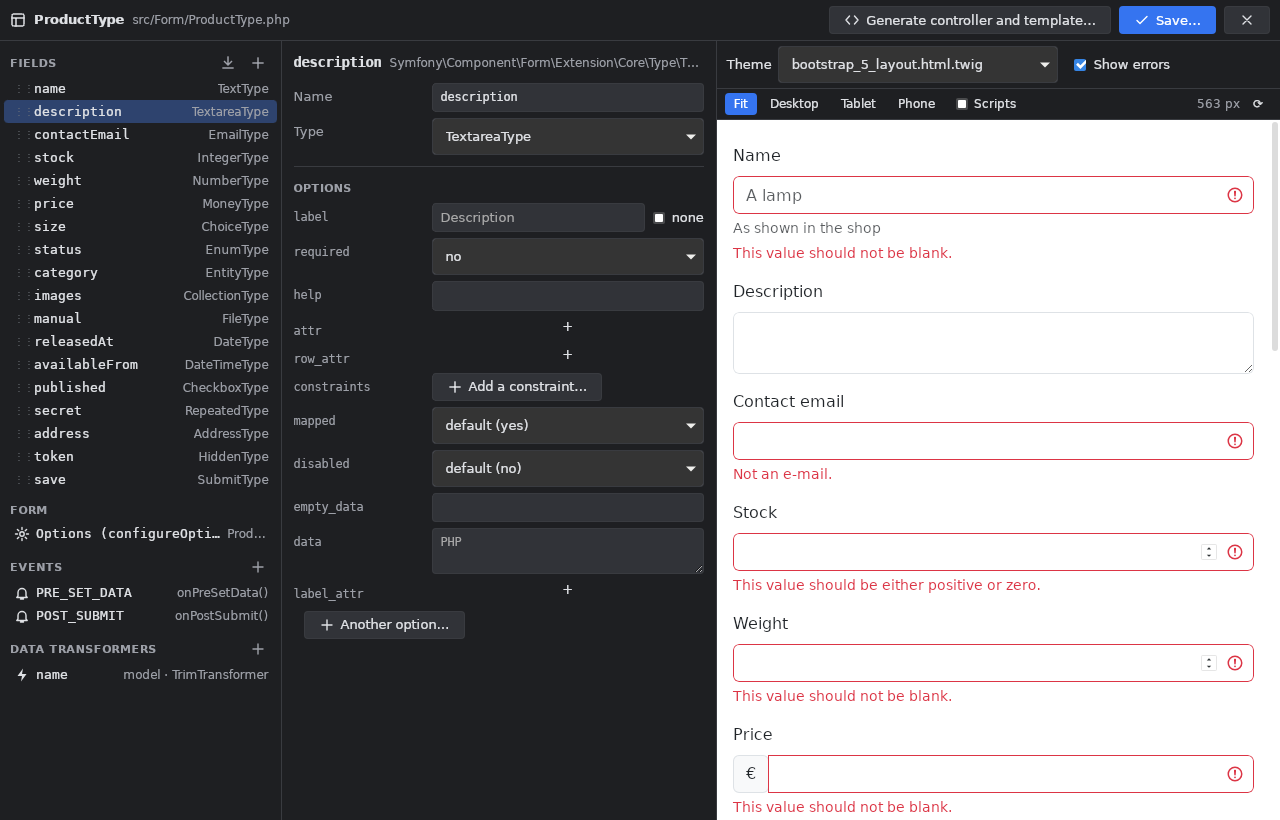
The right column shows the form as the chosen theme renders it, without running PHP: Symfony's default theme, the table theme,
Bootstrap 5 or Tailwind 2, inside the project's own page (base.html.twig and its stylesheets). Show errors shows the error
states, with the message of each field's first constraint. Theme chooses the project's themes (twig.yaml) or one for this form.
Save and generate
-
Save… shows a diff, then writes the FormType: only what changed is written where it is (one option, a line added or removed, the fields moved); comments and the rest of the file are kept as they were. What the builder cannot edit (an
add()inside anif, a closure listener, aCallbackTransformer) is shown locked and never changed.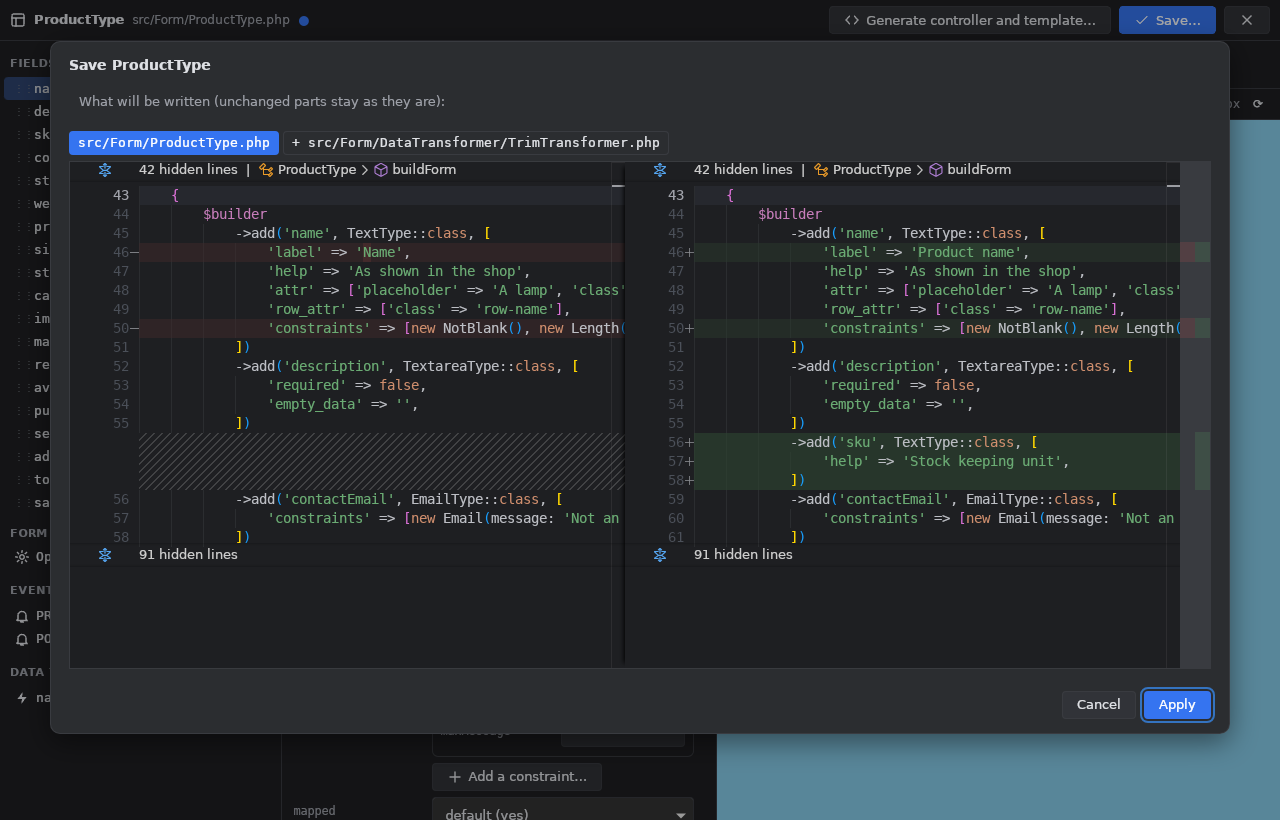
-
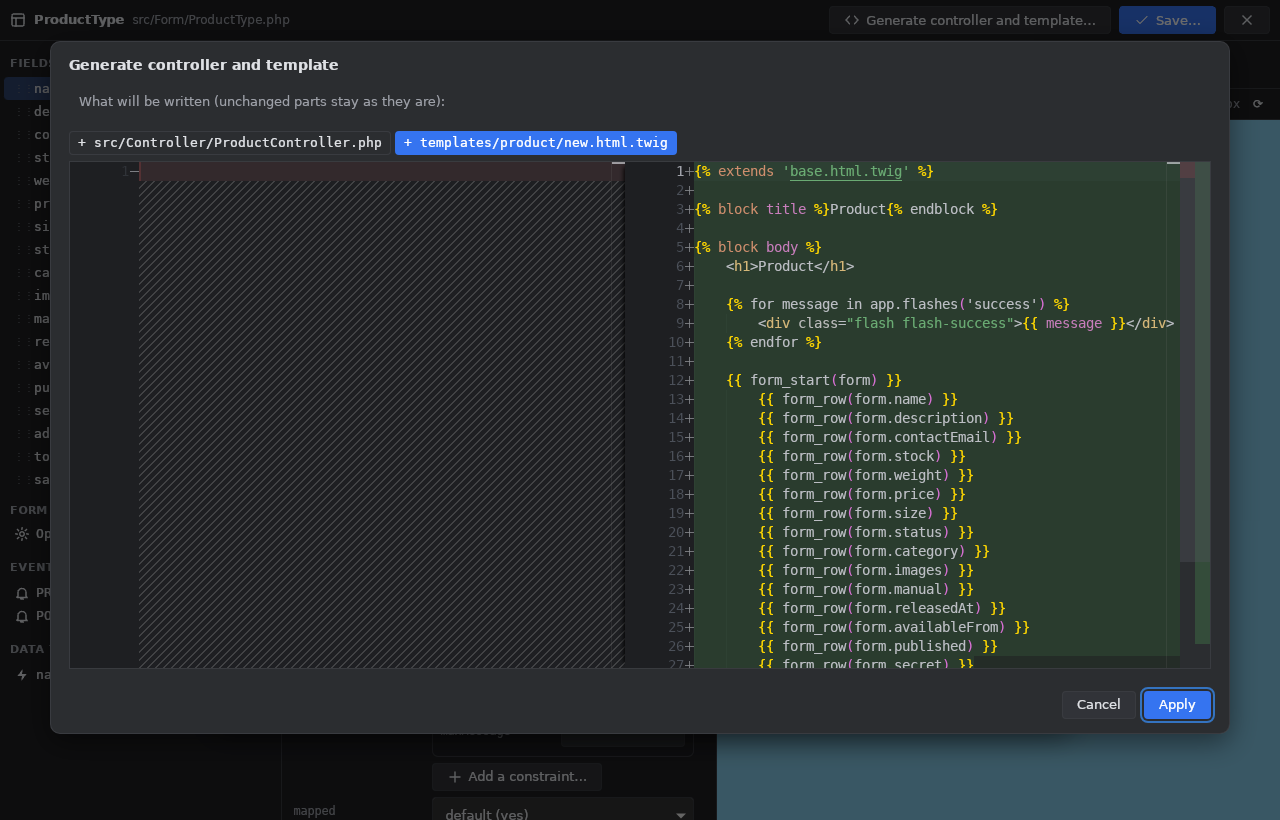
Generate controller and template… makes the action that shows and handles the form (
createForm,handleRequest, valid:persist/flushfor an entity, or the DTO used, a flash message, a redirection), in an existing controller or a new one, and its Twig template (form_start, aform_row()per field orform_widget(form),form_end), shown as diffs. -
Change the themes… sets
form_themesinconfig/packages/twig.yaml.
Limits
- A field moved to another
$builderstatement stays in its own statement (the order is kept inside each add() chain). - Removing an event or a transformer leaves its method or class in place.
- The preview knows Symfony's themes, not a project's own theme blocks; EntityType choices and enum labels are samples.